Product photos that sell — in 4 seconds.
Drop a messy product shot, get a clean studio scene back before the kettle boils. Browser-side AI, 20+ backdrops, batch the whole catalog.
- No upload, no server
- 20 studio scenes
- Batch 50 at once
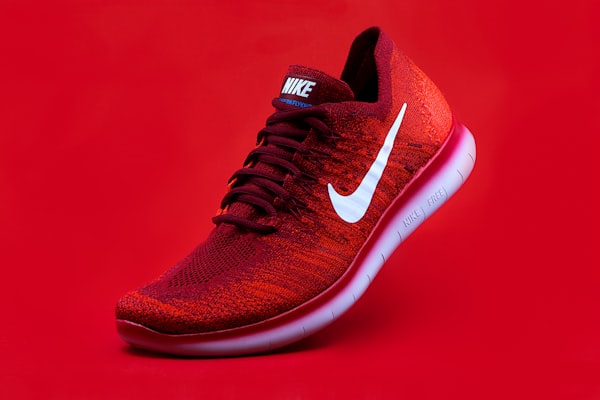
Real catalogs, real lift.
Three DTC brands, one weekend of retouching, measurable storefront performance after.


Everything a catalog team needs — nothing you don't.
Six tools that replace a background remover, a photo editor, a batch script, and a Shopify resize plugin.
Browser-side removal
WebAssembly runs the model locally. Zero upload, zero server cost, 4-second turnaround on a 4MB JPEG.
20 studio scenes
Clean white, studio grey, gradient, marble, oak, lifestyle desk. Drag your product anywhere on the canvas.
Batch 50 at once
Drop the whole SKU dump. Pick a scene. Grab a ZIP of every processed PNG with preserved filenames.
Platform presets
Instagram 1:1, Amazon main 2000x2000, Shopify 2048x2048. Export once, upload everywhere.
Fabric canvas editor
Reposition, resize, rotate the cutout. Tweak brightness, contrast, saturation. Live preview on every change.
Collections + library
Auto-saved originals and processed versions, tagged by scene. Filter by date, bulk download, delete the misses.
Three steps from messy JPEG to storefront hero.
No learning curve, no Photoshop tutorials, no render queue.
Drop the photo
JPEG, PNG, WEBP up to 20MB. Drag-and-drop or paste from clipboard. Works offline after first load.
Pick a scene
Clean white for Amazon, marble for skincare, oak for lifestyle. Or upload your own backdrop.
Export anywhere
PNG at original resolution or resize for Shopify, Instagram, Etsy. One click, no watermark.
What DTC operators say after week one.
Background removal that used to take 2 hours in Photoshop now takes 4 seconds. We process 800 product shots a day through Bgzap — it paid for itself in the first afternoon.
We used to outsource catalog retouching at $2.50 per image. Last month our Shopify store shipped 1,400 SKUs entirely through Bgzap. Our freelancer budget is zero now.
The batch mode is the whole game. I drop 50 sneaker photos Friday night, get back 50 on-brand hero shots Saturday morning. My photographer hates me, my CTR loves me.
Pay for processing, not features.
Every plan includes every tool. Price scales with volume, not access.
Starter
Solo operators and side projects.
- 500 images per month
- All 20 studio scenes
- Platform export presets
- Fabric canvas editor
- Library + collections
Studio
Active Shopify and Amazon sellers.
- 3,000 images per month
- Batch mode (up to 50 at once)
- Custom scene uploads
- Brand kit auto-apply
- Priority support
Agency
Retouching shops and DTC agencies.
- Unlimited images
- Team seats (5 included)
- Shadow generator
- API access (beta)
- Dedicated account manager